Your money.
Nobody else's.
A daily expense tracker for iPhone, spending, subscriptions, bills and income in one place. No account, no bank login, everything stays on your phone.
Free to use, with no account and no sign-up. No card needed.
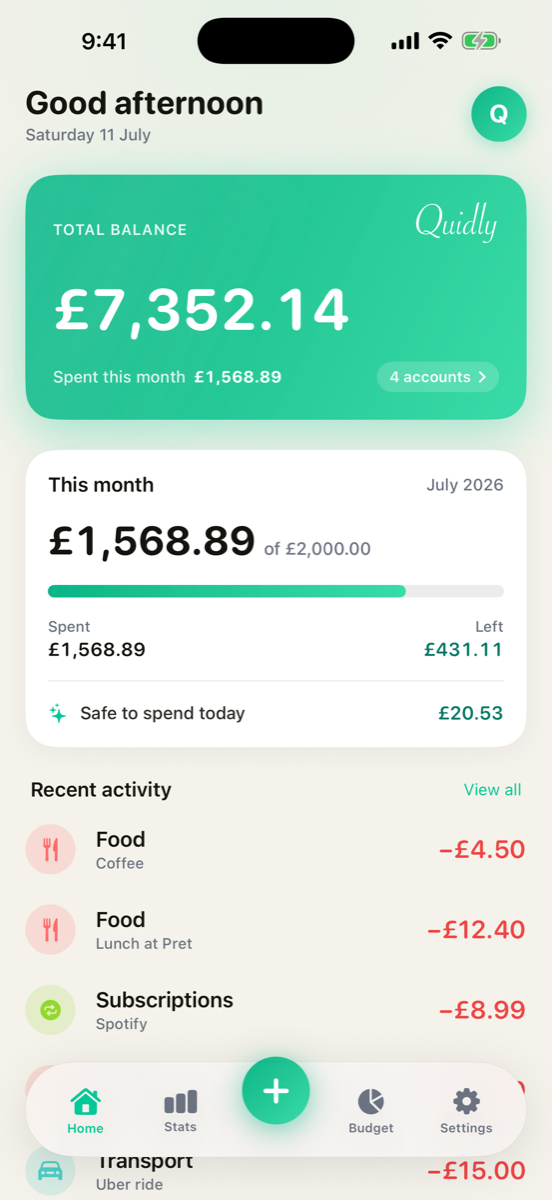
Fast to log. Clear to read. Completely yours.
No spreadsheets, no sign-ups, no learning curve, just a calm, private way to stay on top of your money.
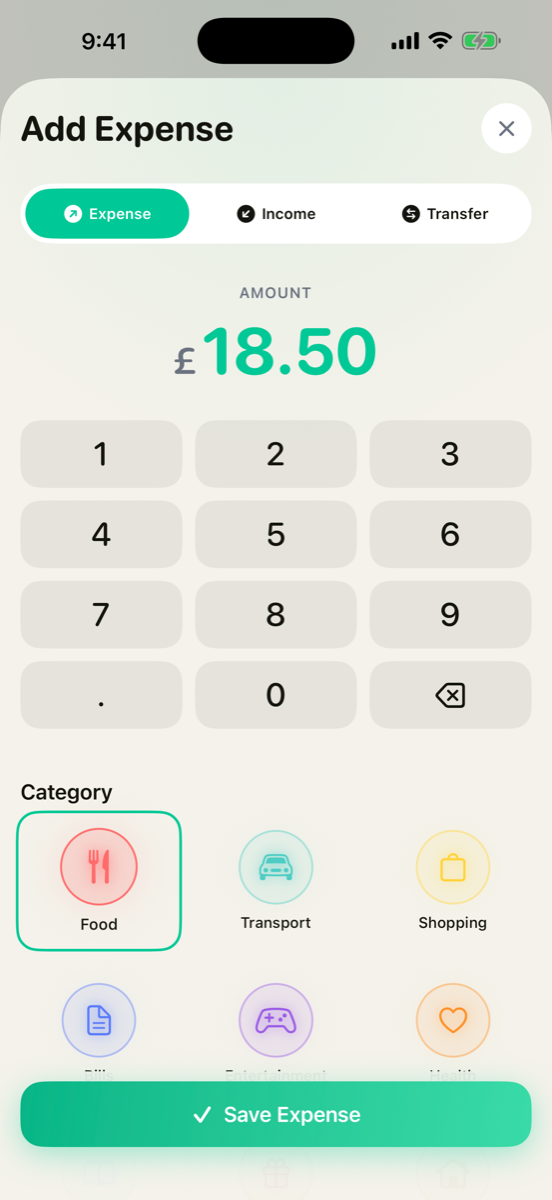
Log spending in seconds
Tap the amount, pick a category, done. Expense, income or transfer, it's a couple of taps, with a fast keypad built right in.
- Expense, income & transfers
- Your own colourful categories
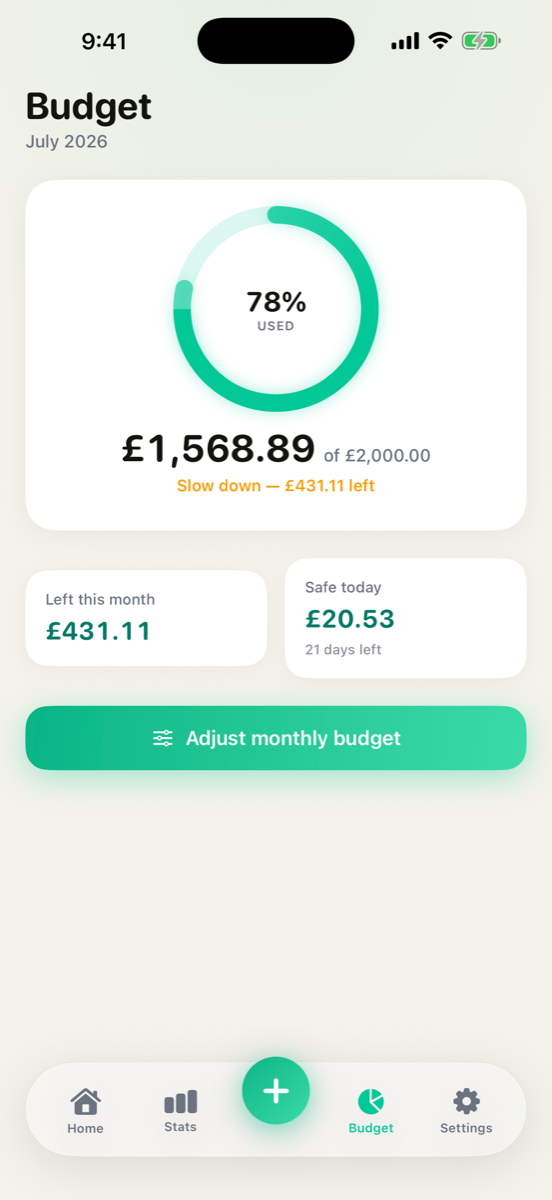
Budgets that actually help
Set a monthly budget and Quidly shows a live ring, what's safe to spend today, and a gentle nudge before you overspend.
- Live budget ring & safe-to-spend
- A gentle heads-up before you overspend
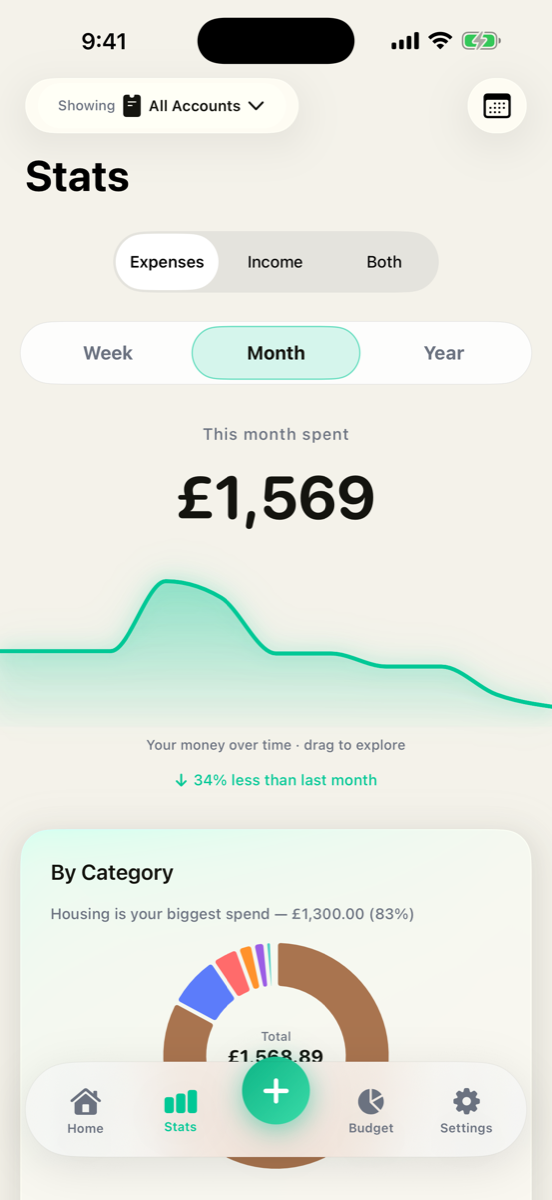
See where it really goes
A clean spending trend you can drag to explore, plus a category breakdown that makes your habits obvious at a glance.
- Interactive money-over-time chart
- Spending by category, week to year
Little things you notice
Spending calendar
A month view that shades the days you spent more, tap any day to see exactly what you bought.
Bills & subscriptions
Track recurring payments with a reminder before each one renews, so nothing catches you out.
Multiple accounts
Keep cash, bank, card and savings apart, and move money between them with transfers.
Export any time
Export everything as a spreadsheet whenever you like. Free, and made on your own device.
Made for day & night
A proper dark mode, plus category colours you choose yourself.
Works with no signal
Everything runs on-device, so Quidly is instant on a plane, on the tube, or with no data at all.
Nothing leaves your phone
Quidly has no servers and makes no network connection with your money data. There's no account to create and no bank to link. Everything you enter is stored only on your iPhone, so nobody can see it, sell it, or lose it. Not advertisers, not us.
Free, with Pro when you need it
Free to use, with no account and no sign-up. Subscribe any time for budgets and stats.
The core tracker, forever.
- Log spending & income in a couple of taps
- This month's overview, full history & search
- Monthly spending calendar
- Your own categories & dark mode
- Free spreadsheet export, any time
or £14.99 / year, shown in your own currency.
- Monthly budget with a live ring & safe-to-spend
- Gentle alerts before you overspend
- Weekly & yearly stats
- Recurring bills & subscriptions with reminders
- Separate accounts & transfers
There is no free trial and nothing is charged unless you choose to subscribe. Logging your spending stays free for as long as you like. Cancel in iOS Settings.
Questions, answered
Is Quidly free?
Yes. The core tracker, logging spending and income, your history, this month's overview, the calendar and spreadsheet export, is free to use, with no account and no sign-up. Pro is £1.99/month or £14.99/year, shown in your own currency.
Does Quidly need an account or the internet?
No. Quidly is offline and local-first. There's no login and no sign-up, and your data stays on your iPhone.
Does Quidly connect to my bank?
No. Quidly never links to your bank or any account. You add your spending yourself in a couple of taps, and it all stays on your device, nothing is ever sent to a server.
Can you see my transactions?
No. We have no servers and no analytics, so we have no access to your data. It only exists on your iPhone.
How do I cancel Pro?
Open iOS Settings → tap your Apple Account → Subscriptions → Quidly → Cancel. Payments and refunds are handled by Apple.
Is there a backup or sync?
Not yet, Quidly stores everything locally. You can export a spreadsheet copy any time (Settings → Save as a spreadsheet) to back up or move your data.
Is there an iPad, Mac, Android or Web version?
Not yet. Quidly is iPhone-only for now.

Take back your money, and your privacy.
Free to start. Nothing to sign up for. Nothing to lose.
Download on the App Store